Numerus™
By combining verified company profiles, multi-tier network mapping, and enterprise-owned data collection, Numerus™ enables manufacturers and suppliers to understand who is in their supply base, how those entities are connected, and where financial, operational, or structural risk may exist—before it becomes a disruption.
Numerus ™
Find new customers and better suppliers with Numerus™
Numerus™ is an online automotive database with detailed information on over 40,000 automotive company locations worldwide.
We map out entire supplier networks tracing them down from company headquarters to R&D centers, sales offices, plants, warehouses and more.
Numerus ™ Enterprise
Numerus Enterprise offers a fully-customizable solution tailored to the specific needs of your company. Our enterprise features are "must-haves" for a wide-range of problems confronting organizations managing complex, global, supply chains.
Enterprise customers can define proprietary Data Packages that become part of their extended supply-base’s entity profile. Data gathered from these suppliers is the property of the enterprise customer and will never be shared with others.
The Enterprise Worksheet Manager supports more structured acquisition of data from the enterprise customer’s direct suppliers. Large volumes of complex data (income statements, balance sheets, tooling inventory, etc.) can be efficiently aggregated using Excel™ templates populated by the supplier and uploaded into the worksheet manager.
Numerus™ Data Search
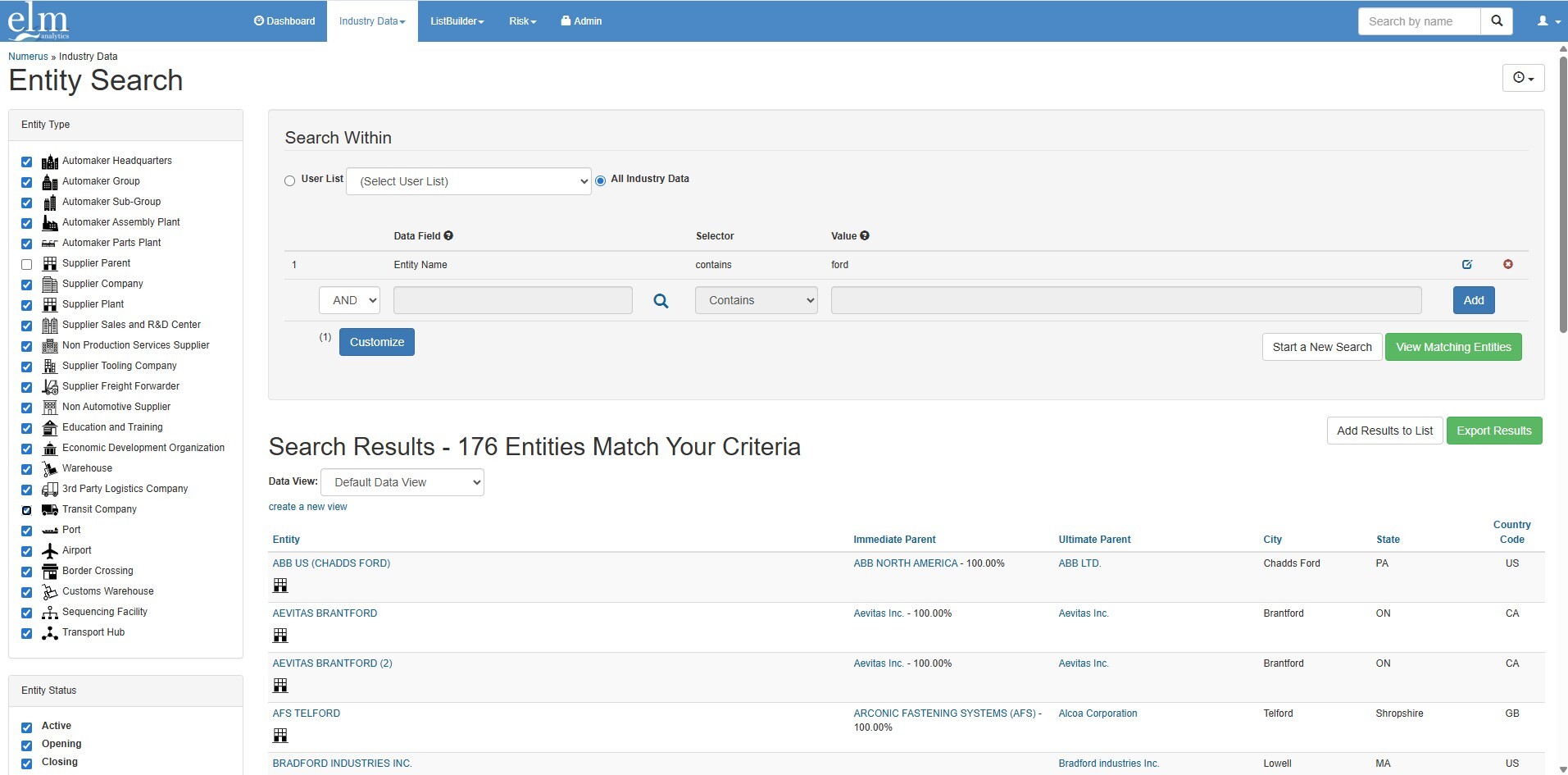
The primary Numerus™ search interface is located on the Industry Data tab. The Entity Search interface supports complex queries against the 30,000+ manufacturing facilities. Entity type checkboxes, autocomplete data field entry, attribute dependent selectors and custom views are just a few of the useful features found here.
Numerus™ List Builder
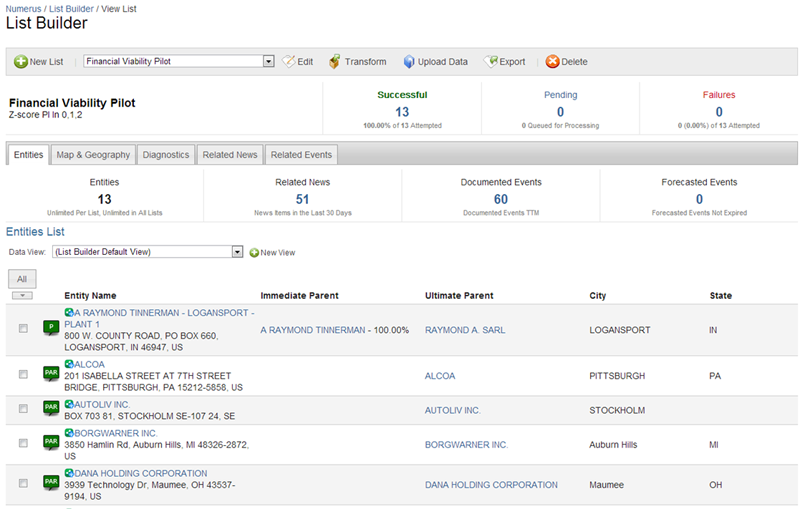
The Numerus™ List Builder is powerful interface enabling the user to quickly and easily perform diagnostic analytics on a group of companies. Create lists by searching industry data, or by uploading your own list of companies.
Use the Transform List method to derive a target list of suppliers, using another list as the starting point.
For example, a transformation can be performed to create a new list containing all of the manufacturing facilities in South America owned by the companies in the current list.